Zombie Love Story guide
Zombie Love Story AI Prompt: Keep Two Faces Consistent Through the Hug and Flashback
The story stops working if the survivor becomes the zombie halfway through, or if the warm ending looks like two unrelated people. A useful zombie love-story prompt first assigns the two identities, then describes the emotional change that connects the cold encounter to the embrace and memory.
By VidMello · · 6 min read
Read the story in the actual sample frames
The cabin frame sequence shows why the change matters. First the survivor recognizes the infected partner. Then the threat is lowered, the arms open and the partner reaches in. The memory replaces fear with warmth while keeping the relationship legible.
These frames come from our generated cabin example. They are observations of that result, not a claim that every zombie-love-story video must use the same room, weapon or exact timestamps. Keep the emotional cause and effect when adapting the story rather than filling the prompt with unrelated horror imagery.
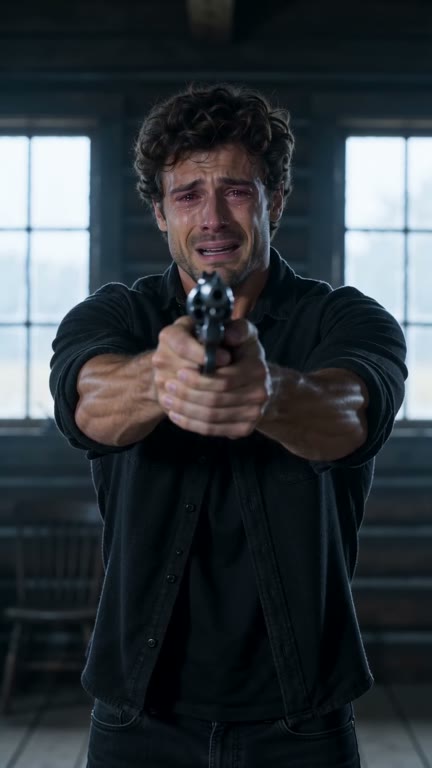
Recognition
Sample frame · 00:03.50
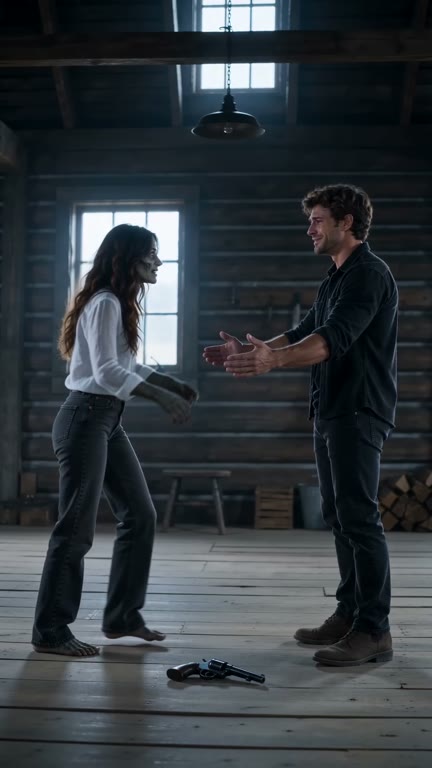
A choice
Sample frame · 00:08.75
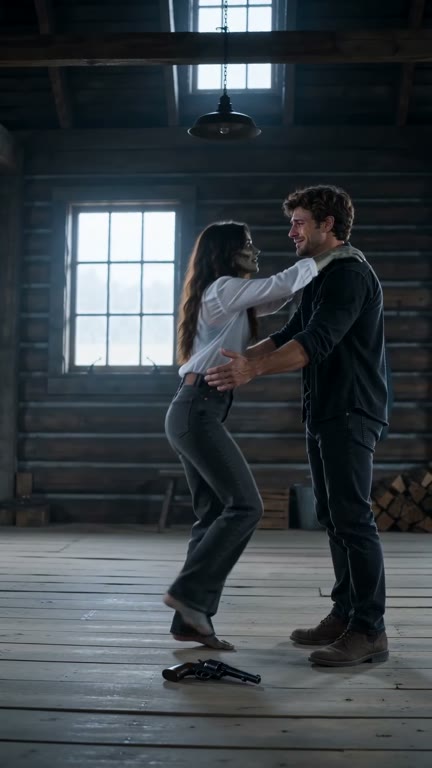
Moving into a hug
Sample frame · 00:09.85
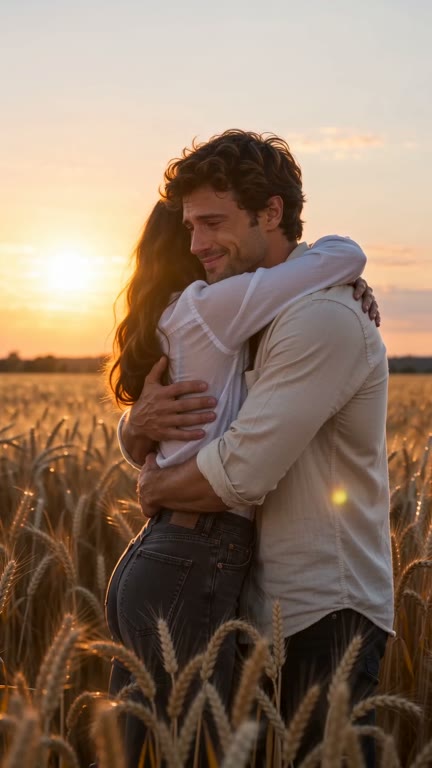
Before everything changed
Sample frame · 00:12.00
Give each reference one role in both worlds
Use two independent portraits, with one adult in each. Assign the first to the survivor and the second to the infected partner using the labels your tool recognizes. The survivor remains human throughout. The partner is infected in the cold present and healthy in the warm memory; that change should not create a third identity.
Separate identity from story styling. Facial features and hair help the viewer recognize the pair, while pale skin, altered eyes, clothing and light distinguish the present from the memory. Asking to preserve every pixel of the source outfit conflicts with a story that changes clothing between scenes. Our examples deliberately use different clothing in the warm ending.
An editable two-photo prompt
This original example is a starting point for a video mode that accepts two identity references and a multi-part scene description. Replace the bracketed labels with the tool’s actual reference names. Check its input and duration support first; the text does not add features that a model or interface lacks.
The public samples in this article were made with our prepared scenes, not by testing the example below. No universal model settings or improvement rate have been verified for this text. Keep it as a compact story brief, then adjust one visible problem at a time.
Create a short cinematic reunion using [SURVIVOR PHOTO] as the human survivor and [PARTNER PHOTO] as the distinct infected partner. Preserve each person’s recognizable facial features and hair across both scenes. The survivor stays human throughout; only the partner has pale skin and changed eyes in the present. In a cold, dim cabin, the survivor recognizes the approaching partner beneath the zombie appearance. Show the survivor’s hesitation, then the weapon lowering without being fired. The survivor opens both arms. The partner approaches and they move into one clear embrace; keep both people separate and anatomically readable. At the embrace, transition to a warm, sunlit wheat-field memory. Continue the same pair’s hug with a similar camera angle and body positions, now with both people healthy. Light clothing and golden light distinguish the memory from the cold present. End on the two people together. Keep the action focused on recognition, choice, embrace and memory. No attack, bite, gunfire, blood, extra people, identity swaps or added captions. Avoid overlapping faces and fused hands. Use the duration and portrait framing supported by the selected tool; do not rush several new actions into the ending.
Watch the embrace across the cut, not just the opening portrait
Here is the full cabin result with its actual two source portraits. Compare both people before the approach, as the bodies overlap and after the warm scene appears. The partner’s zombie styling changes, but the viewer still needs to understand that the memory is about this same couple.
If your result swaps people, restate the reference-role assignment and remove ambiguous wording such as the other person. If the memory introduces a new couple, describe it as a continuation of the same pair’s embrace. If the hug produces fused hands or faces, simplify the pose and reduce extra gestures. These are directions to try, not guaranteed fixes.
Actual input → Complete generated video

The survivor
The zombie partner
15 seconds · Portrait 9:16 · Added audio
The prepared cabin result and its actual two portraits. Check recognition, overlapping bodies and the healthy memory as one sequence.
People in these examples are AI-created adult characters, not customer uploads. Your result can vary.
A greenhouse variation keeps the relationship, changes the memory
Our greenhouse example uses the same two portraits in a cold encounter followed by a flowering, warmly lit memory. Comparing it with the cabin result makes the invariant clear: the place and camera sequence can differ while recognition and the relationship still carry the scene.
For an external prompt, describe the cold and warm versions of the same greenhouse instead of adding a cabin, field and greenhouse to one short clip. Too many settings compete with the time needed for recognition and the embrace. The sample below belongs to VidMello’s prepared greenhouse scene; it is not evidence that changing one word in the public prompt reproduces it.
Actual input → Complete generated video
The survivor
The zombie partner
15 seconds · Portrait 9:16 · Added audio
Where We Bloomed uses the same two source portraits and a greenhouse setting. The warm memory is another part of the story, not a separate third-person cast.
People in these examples are AI-created adult characters, not customer uploads. Your result can vary.
Choose between directing a story and using a prepared scene
An external prompt workflow is useful when you want to direct your own place, timing or ending in a tool that supports it. You are then responsible for its references, settings, audio and generation cost. The prompt alone does not include a soundtrack or guarantee a coherent fifteen-second film.
VidMello is the prepared route: choose two portraits and either Cabin & Wheat Field or Where We Bloomed, then generate with 10 Credits. It requests about fifteen seconds, native portrait 9:16 and 720p, with the demo audio added afterward. It has no custom prompt, horror-intensity, kiss or custom-ending control. Use the companion tutorial if those two existing scenes are what you want to make.
Frequently asked questions
Do the example videos prove this public prompt works?
No. The videos were generated with VidMello’s prepared scenes. The text in this guide is a separate original starting prompt and has not been tested as a universal recipe in external tools.
Should I upload a zombie portrait for the partner?
Our prepared template uses an ordinary healthy portrait for each adult. It supplies the infected appearance in the present and the healthy appearance in the memory. For an external tool, check its reference requirements.
Why does the warm scene look like a different couple?
The model may not have kept the two identities bound across the transition. Specify the same survivor and partner, carry their recognizable features through the hug and describe the memory as the same pair. This can guide another attempt but does not guarantee a fix.
Can I change VidMello’s ending with this prompt?
No. The VidMello workbench offers the two prepared scenes with an embrace and memory. The editable example is for compatible external tools, not an additional control for the preset.