Photo to video · 10 Credits
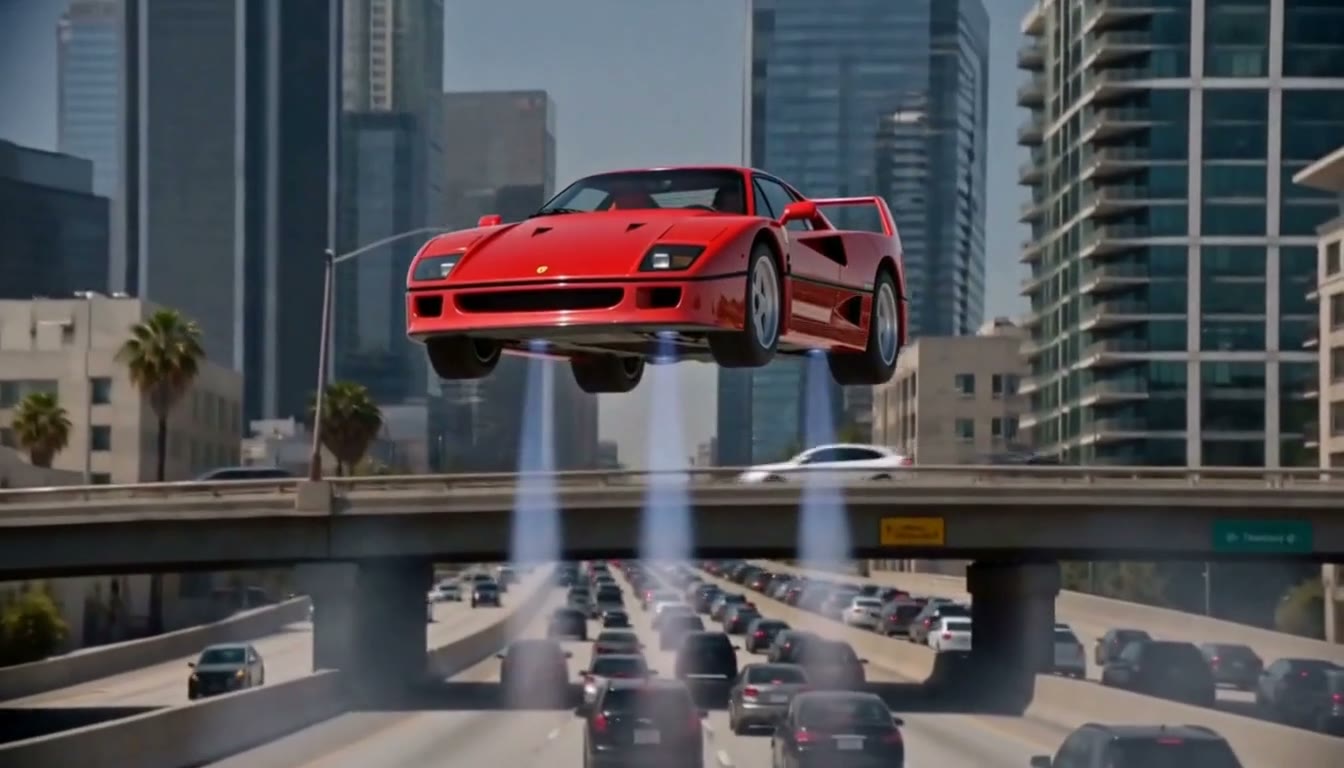
Flying Roadster AI
Put your portrait and car into a cinematic traffic-to-flight video.
Portrait + car photo or preset · About 12 seconds · 16:9
Make my flying car video ↗Viral ideas. Your own moment.
Turn your photos into a scene worth sharing. Choose a template, add your photos and make your own short performance.
Your photos · No filming or prompts · No watermark
Make a Flying Roadster AI video ↗Made with VidMello
Flying Roadster AI
12 seconds · 16:9 · 768P
Make my Flying Roadster video ↗A prepared scene, with clear inputs.
Your authorized photos. Your own result.
Private History, with video downloads.
START CREATING
Watch real sample videos, compare photo requirements and choose a template. The scene, movement and prompt are already prepared.
Starter: $9.90 for 10 Credits. One shared balance for every template. No subscription. Compare Credit packs.
Photo to video · 10 Credits
Put your portrait and car into a cinematic traffic-to-flight video.
Portrait + car photo or preset · About 12 seconds · 16:9
Make my flying car video ↗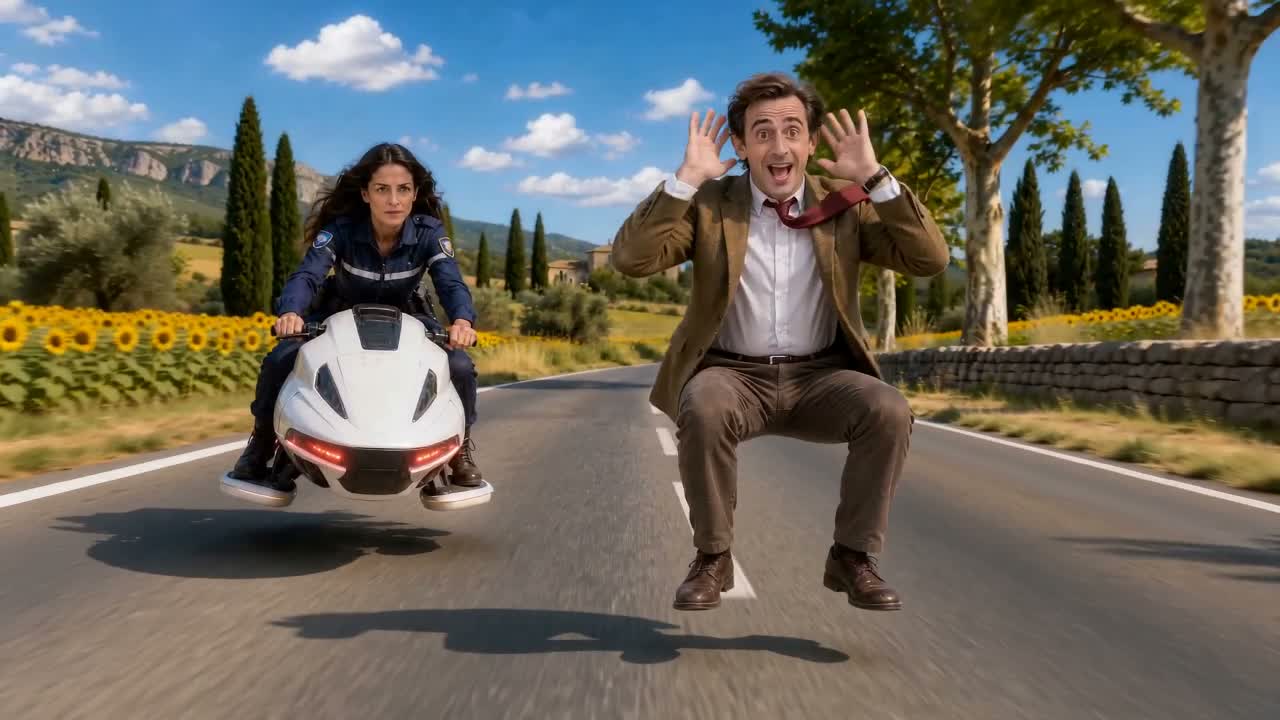
Photo to video · 10 Credits
An invisible ride, one front flip and a high-energy getaway.
1 rider photo + optional chaser photo
Crazy Frog AI Video Generator ↗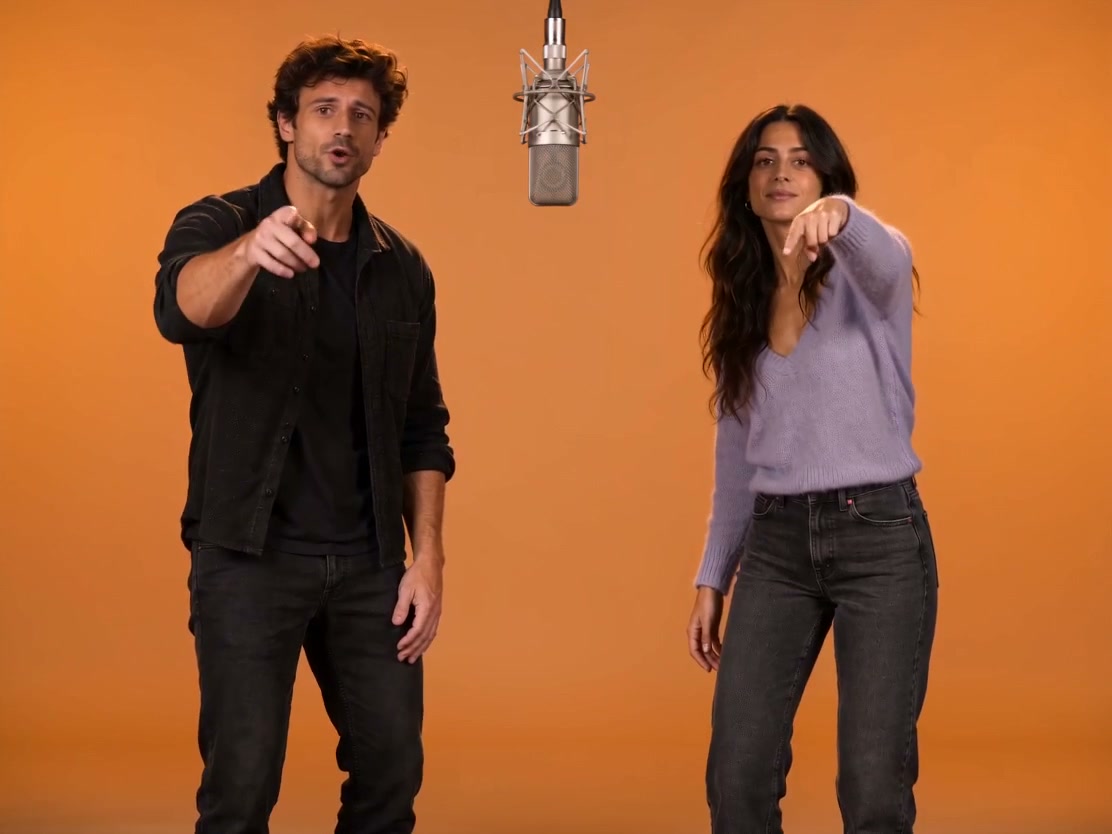
Photo to video · 10 Credits
Turn two photos into a Hotel Lobby–style rap duo. Include demo music or choose no audio.
Two reference photos · About 13 seconds · Optional demo music
Make a Hotel Lobby video ↗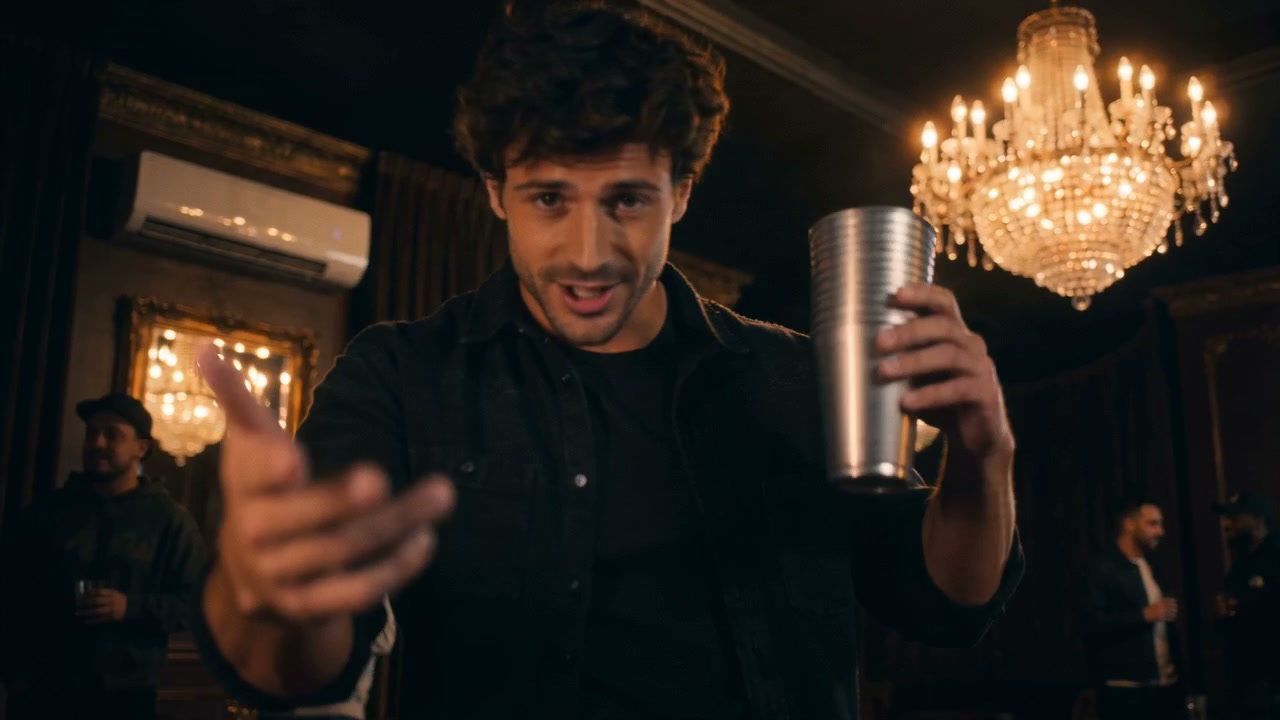
Photo to video · 10 Credits
Turn one portrait into a solo rap performance in a warm VIP lounge, with demo music.
One portrait · About 15 seconds · 16:9 or 9:16 · Demo music
Make a Burning Bridges video ↗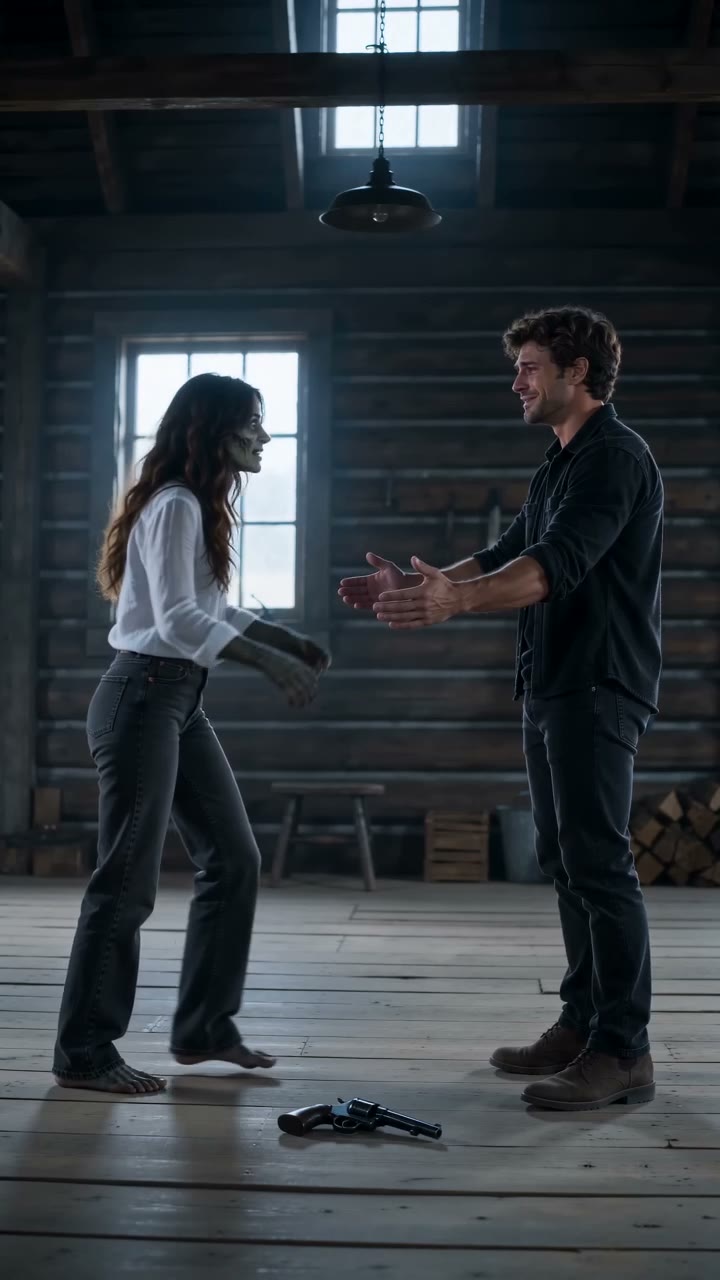
Photo to video · 10 Credits
Create a zombie love story starring you and your partner: recognition, an embrace and a golden memory.
Two portraits · About 15 seconds · 9:16 · Demo audio included
Make our love story ↗Choose a template and preview its sample. Select clear reference photos, sign in and review the Credit cost before submitting. Once your job is accepted, it runs on the server. Return to History to check its status, preview the result and download your MP4. Processing time varies with the queue.
Read the creation guidesBuy a one-time Credit pack and use it on available templates. The tool shows the cost before you generate. All current templates use 10 Credits per video. Failed generations return their reserved Credits, while completed results are charged even when the creative outcome varies.
View Credit packsTurn your photos into short performances with prepared video templates. Flying Roadster puts your portrait and car into a traffic-to-flight scene; Hotel Lobby creates a two-character studio duo; Burning Bridges creates a solo lounge performance; Zombie Love Story turns two portraits into a cinematic reunion; Crazy Frog makes a short comedy chase from a Rider photo, with an optional Chaser photo. Choose a template to see its real sample, photo requirements, length, format and audio options. This is a template-based photo-to-video tool, not a general text-to-video editor.
No. Use your phone or desktop browser, choose a template and select your photos. The scene and prompt are already prepared. You can preview photos locally before signing in; an account is needed to submit a generation and access your private videos.
Use sharp, well-lit photos with an unobstructed face. Flying Roadster needs one adult portrait and one full-car exterior photo, or a car preset; you do not need to pose inside a car. Hotel Lobby needs two separate reference photos, one for each character, and supports people or pets. Burning Bridges needs one portrait of one person. Zombie Love Story needs two separate adult portraits, labeled as the survivor and the partner who turns. Crazy Frog needs one Rider photo and accepts an optional Chaser photo. Avoid distant faces, heavy filters and group photos; check the selected template’s photo tips before uploading.
Flying Roadster, Hotel Lobby, Burning Bridges, Zombie Love Story and Crazy Frog each use 10 Credits per video. One-time packs in USD are 10 Credits for $9.90, 30 Credits for $24.90, 80 Credits for $59.90. The full pack price is paid upfront, with any applicable tax shown at checkout. There is no subscription or automatic renewal. Registration does not include free Credits. Choosing a photo is free. Generation uses Credits; buy a one-time pack when your balance is insufficient. Downloading a completed video costs no extra.
Clip length is not processing time. Waiting depends on the generation queue, so there is no fixed completion estimate. Once a job is accepted, it continues on the server if you close the page. Return to History and refresh to check its status, then preview and download the completed video.
Flying Roadster requests about 12 seconds at 768P in landscape 16:9. Hotel Lobby produces about 13 seconds at the 720p setting, with 4:3, 9:16 or 16:9 framing. Burning Bridges produces about 15 seconds at 720p; choose landscape 16:9 or native portrait 9:16 before generating. Its template page shows selected landscape and portrait results; framing and performance vary. Existing landscape videos are not converted to portrait. Zombie Love Story produces about 15 seconds at 720p in native portrait 9:16. Crazy Frog offers a 6-second countryside or 8-second office scene at 720p in landscape 16:9. Each template shows its settings before submission. These are short clips, not long-form videos; exact output dimensions can vary with the template and format.
Flying Roadster includes provider-generated traffic, button, engine and flight sounds; the sample audio is not copied into every result. Hotel Lobby lets you include the demo music or download a silent video for adding audio in your own editor. Burning Bridges includes its demo soundtrack and offers Download without music in History for completed videos, including older results. Removing music does not generate a new video or use extra Credits, and keeps the original framing and expiry date. Zombie Love Story and Crazy Frog include demo audio. Custom music upload is not currently available. Where music is added after generation, it does not drive mouth movements, so word-for-word lip sync is not guaranteed.
No. Samples are selected results, not a guarantee of identical movements, facial likeness or timing. AI can change hands, faces and gestures, especially during turns or occlusion. Review the complete video before sharing. A different photo may help another attempt, but each new generation uses Credits and improvement is not guaranteed.
Yes. Preview completed results in your private History and download the MP4; VidMello does not add a watermark. You can edit or add captions in another tool. Save your file within the retention period: uploads and results are kept for up to 30 days, and private access links expire.
Your uploads and results are not published in a public gallery. Photos preview locally and upload only after sign-in and an explicit generation request. Input images are sent to the video provider to make your requested video; stored media uses private, time-limited links. See the Privacy Policy for retention and contact details.
If generation fails before delivery, reserved Credits are returned automatically. A completed video uses Credits even if the creative result differs from expectations; that alone does not qualify for an automatic refund or free retry. Credit-pack refund requests are handled separately under the Refund Policy. Purchased Credits do not expire.
You can download the MP4 and prepare it for your chosen platform; use a supported portrait format or your own editor when needed. Use photos you own or have permission to use. Included music does not grant a separate commercial music license or guarantee platform acceptance. VidMello cannot guarantee views, reach or virality.
AI videos can vary in likeness, hand detail, motion and timing. Samples show selected results, and music is added after generation. Review your video before sharing; no tool can promise that a post will go viral.
Read our Privacy Policy, Refund Policy and Terms before uploading or purchasing Credits.