Zombie Love Story guide
How to Make a Zombie Couple AI Video From Two Photos
This is a short love story with two roles, not a filter that turns both faces green. One person stays human and recognizes the other beneath a zombie appearance; the encounter becomes an embrace and a warm memory. Two separate portraits tell the template who those people are.
By VidMello · · 6 min read
Watch the story before deciding who plays each role
Our cabin example begins with a frightened survivor and a weapon, reveals the infected partner, then moves toward recognition and an embrace. The cold room gives way to a warm wheat-field memory where both are healthy. Watch to the end: the emotional turn is the reason to make this version instead of a standalone zombie transformation.
The two portraits below are the actual inputs for the example. They depict AI-created adult characters, not customers. The man’s reference guides the survivor and the woman’s reference guides the partner who turns. You can open the source images to compare the ordinary portraits with both the cold scene and the memory.
Actual input → Complete generated video
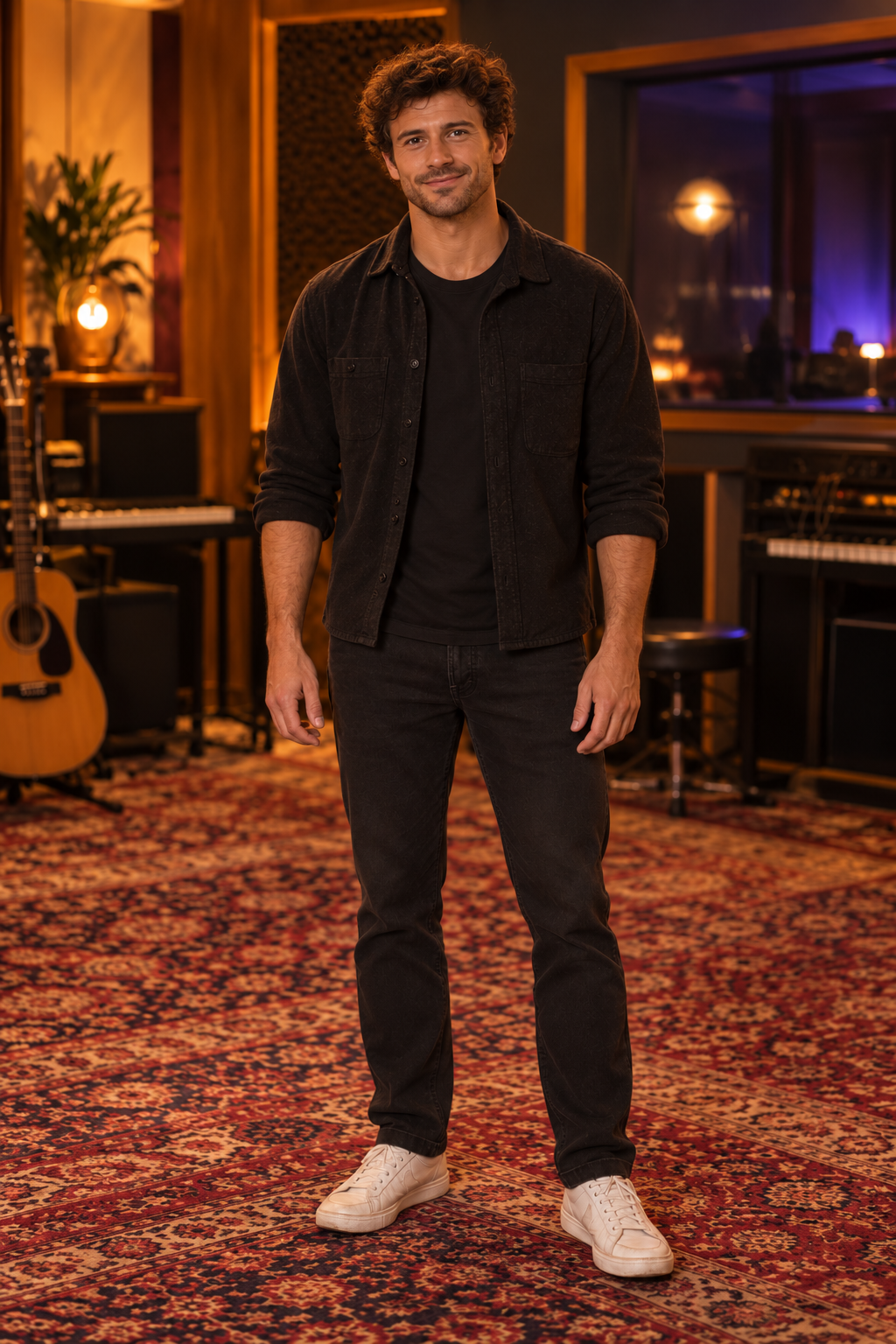
The survivor
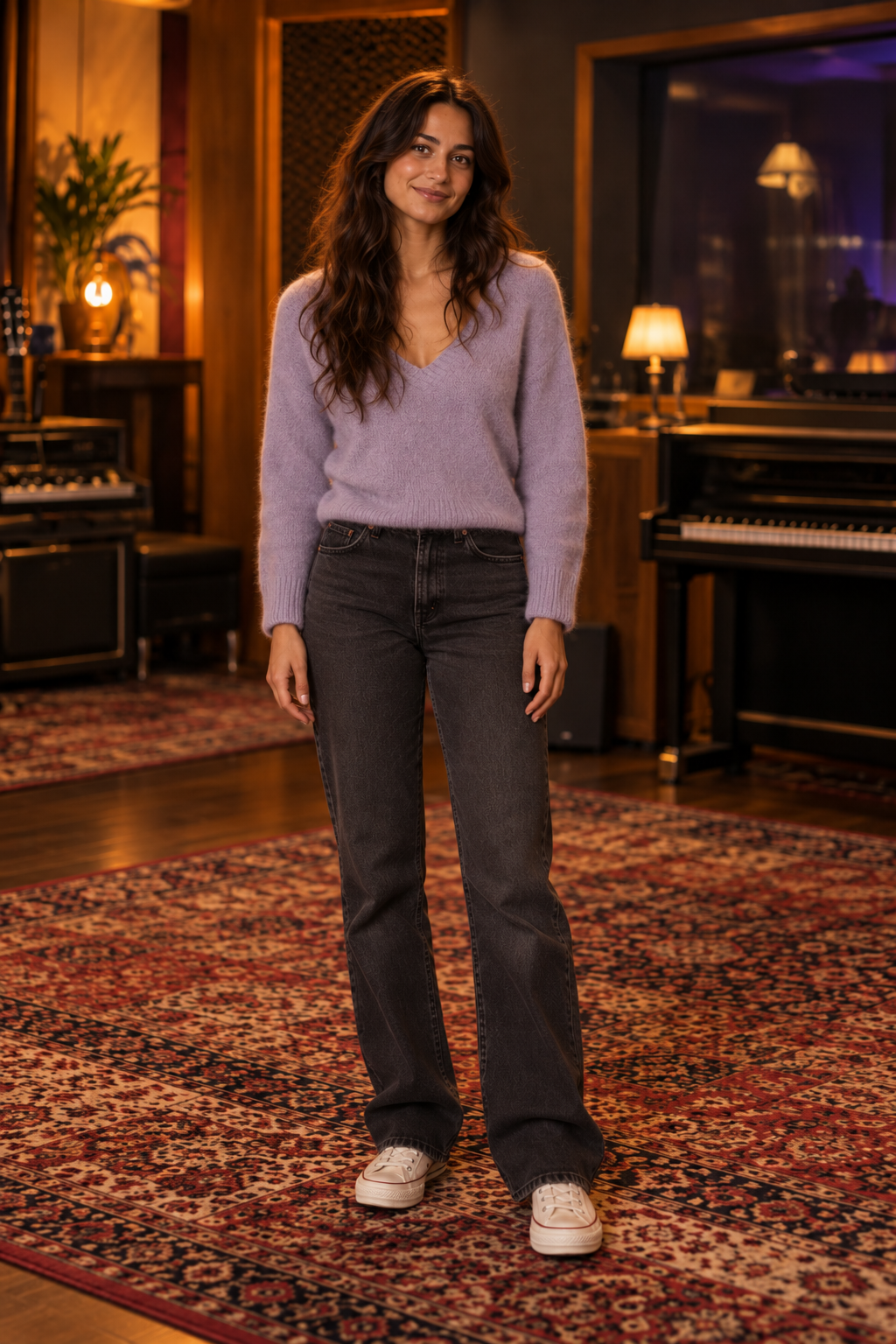
The zombie partner
15 seconds · Portrait 9:16 · Added audio
Cabin & Wheat Field, with the actual survivor and partner portraits. The full video includes the cold encounter and warm memory, not just the short preview shown elsewhere on the template page.
People in these examples are AI-created adult characters, not customer uploads. Your result can vary.
1. Put the survivor first and the partner who turns second
Use two different adults, one person per photo. Photo 1 stays human; Photo 2 has the zombie appearance in the present and returns to a healthy appearance in the memory. Start with an ordinary portrait for each—you do not need to prepare zombie makeup or hold a weapon in the source image.
A front-facing selfie or waist-up portrait with visible eyes is a useful starting point. Keep the face evenly lit and avoid dark glasses, glare, masks or hair covering the eyes. Matching backgrounds or outfits are unnecessary because the scene supplies its own setting and story clothing.
Upload a separate JPG, PNG or WebP up to 10 MB for each person. The template does not invent the second adult from one photo or accept a single couple image as a substitute for the two inputs. If you want to reverse the roles, use Swap roles before submitting and check both previews again. Pets and a both-people-as-zombies variant are not offered here.
2. Choose a memory: wheat field or blooming greenhouse
Cabin & Wheat Field moves between two visibly different places: a cold interior and a golden field. Where We Bloomed uses a greenhouse encounter and a warm, flowering memory. Both use the same two roles, the same 10-Credit cost and the same portrait output setting.
The greenhouse example below was made with the same two source portraits. That lets you compare the setting and transition without imagining a different couple. Its story develops differently from the cabin sample; selecting a scene does not promise every shot or gesture from the other one will be retained.
There are two prepared choices, not a custom location prompt. The finished reunion is an embrace. There is no kiss option, horror-level slider or control for writing a different ending. Use the full videos, rather than environment-reference thumbnails, to choose the scene you want.
Actual input → Complete generated video
The survivor
The zombie partner
15 seconds · Portrait 9:16 · Added audio
Where We Bloomed: the same two actual portraits in the greenhouse story. Compare the cold encounter, embrace and warm memory with the cabin version.
People in these examples are AI-created adult characters, not customer uploads. Your result can vary.
3. Review the roles, Credits and output
Confirm permission to transform both portraits, then sign in when prompted. The Starter pack costs $9.90 once for 10 Credits, enough for one video at the current 10-Credit cost. There is no subscription or automatic renewal. Your balance can be used across templates; if it already covers the submission, another purchase is unnecessary.
Both scenes create one approximately fifteen-second, 720p MP4 in native portrait 9:16. There is no landscape selector or custom length for this template. Check the role order and scene again after returning from payment, then explicitly start generation once. Paying for Credits does not begin the story automatically.
Once the job is accepted, it continues if you close the page. Return to private History and refresh for status. Queue and processing times vary; the fifteen-second length is not a waiting-time promise.
4. Check both faces through the embrace and memory
Start with the moment of recognition, then watch the approach, overlapping hands and final memory. The infected person should still be recognizable as the same partner, and the survivor should remain a separate person. Turning, running and hugging can cause face drift or body artifacts; the first frame cannot show you all of those issues.
Clothing also follows the story rather than staying identical to the source portraits. In these examples, dark, weathered present-day clothing gives way to light clothing in the warm memory. That change is part of the visual contrast; exact preservation of the uploaded outfit is not a feature of this template.
The selected samples show what these particular generations achieved, not a guarantee of identical faces, hand placement, camera work or timing in another result. A completed creative difference does not include an automatic free redo. Another submission uses another 10 Credits; technical failure before delivery returns reserved Credits.
5. Save the complete video with its audio
Preview and download the completed MP4 from History within the retention period of up to 30 days. VidMello adds no watermark or separate download charge. Your uploads and result remain private by default rather than appearing in a public gallery.
The included audio is the demo soundtrack, added after generation. Scene changes and sound effects may not line up exactly in a new result. There is no custom music upload in this workbench; use another editor or a permitted social-app sound if you want something different, and check that two tracks do not overlap.
If you would rather direct a different reunion yourself, the companion prompt guide explains roles, the embrace and the memory transition. Those editable instructions are for compatible external tools, not extra controls hidden in this prepared template.
Frequently asked questions
Which photo becomes the zombie?
Photo 2 is the zombie partner in the present. Photo 1 remains human as the survivor. Both are healthy in the final memory. Swap roles before submitting if you want the reverse assignment.
Can I upload one photo of us together?
Use two separate portraits of two different adults, one person per image. A single couple photo is not a substitute for the two required inputs.
Is the greenhouse scene a separate purchase tier?
No. Cabin & Wheat Field and Where We Bloomed both use 10 Credits per generation with the same approximate length, portrait format and demo audio.
Can I change the ending to a kiss or make both people zombies?
Those variants are not available in this template. The prepared story has a human survivor, an infected partner and an embrace leading to a healthy memory.