Crazy Frog AI guide
How to Make a Crazy Frog AI Video: The Invisible Motorcycle Trend
The trick is the empty space beneath the rider: bent knees and hands out as though a motorbike is there, while a second person gives chase. VidMello turns that gag into a short chase, a forward flip and an escape. Here is how to cast it from your photos, using our complete countryside and office examples to choose the version you want.
By VidMello · · 6 min read
1. Choose the chase by watching both scenes
French countryside uses a sunny rural road and a chaser on a white hover bike. The rider wears the scene’s classic costume: a brown jacket, white shirt and red tie. This is a six-second comedy chase, so choose it for the roadside setup rather than expecting it to keep the exact outfit in your portrait.
Office corridor moves the chase into a glass-walled workplace. The chaser rides a rolling office chair while the rider has nothing underneath them. This version runs about eight seconds and uses the people’s visible clothing as a reference instead of assigning the countryside costumes. In the example below, the blue-shirt rider flips and pulls away as the chair and chaser recede down the corridor.
Both examples are actual generated clips with their source portraits shown below. The reference people are fictional AI-created adults, not customer uploads. The two scenes are different settings with their own timing, not a background filter applied to one finished video.
Actual input → Complete generated video
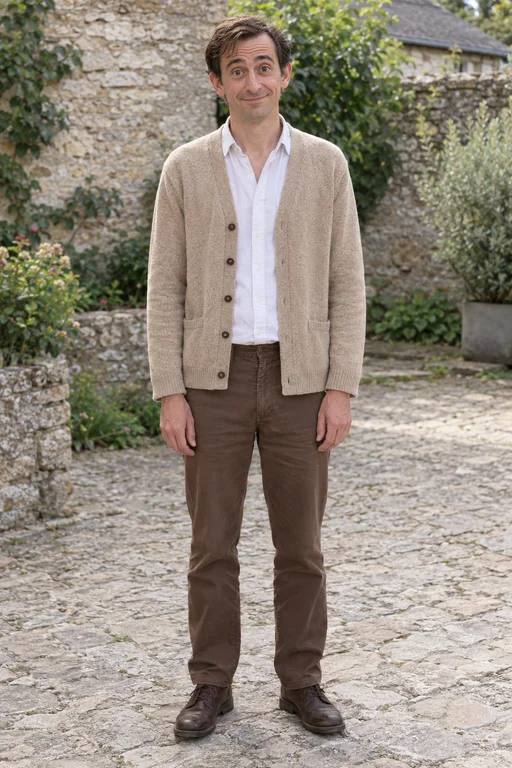
Rider
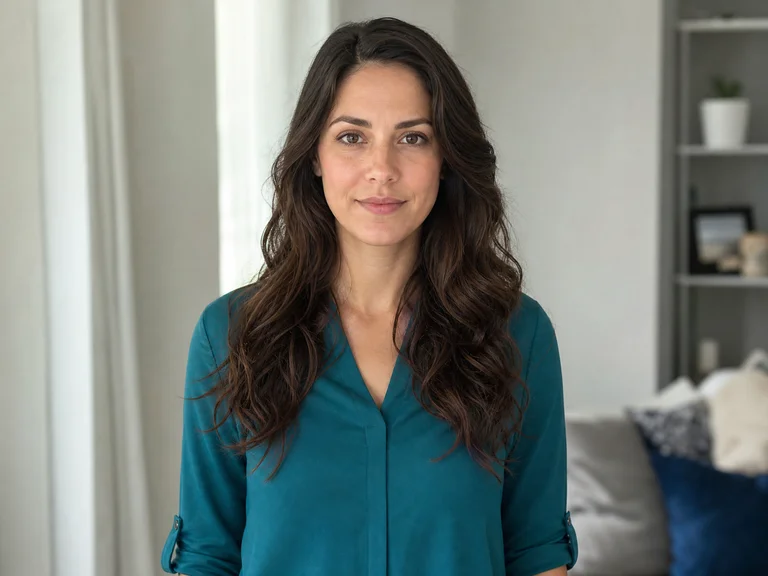
Default AI chaser
6 seconds · Landscape 16:9 · Music included
French countryside: rider portrait plus the scene’s default AI chaser, a white hover bike, one flip and an escape. About six seconds.
People in these examples are AI-created adult characters, not customer uploads. Your result can vary.
Actual input → Complete generated video
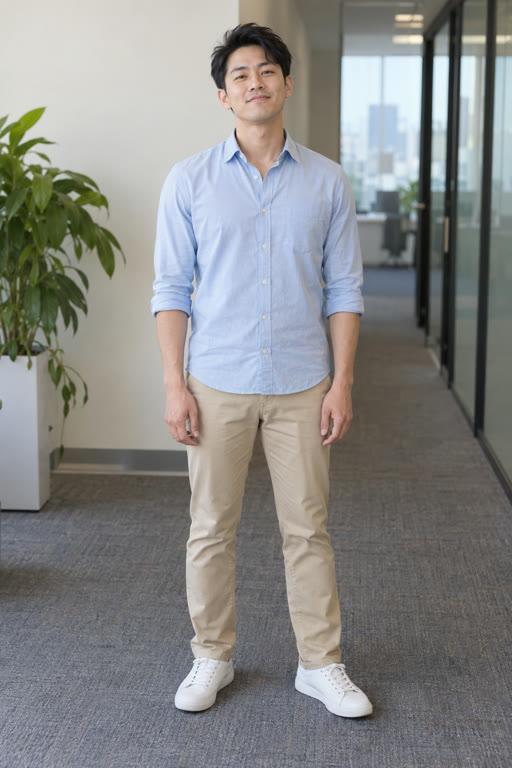
Rider
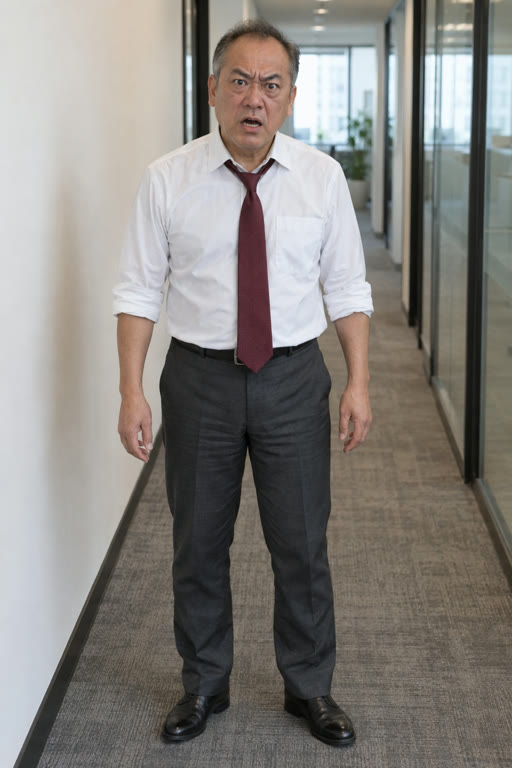
Default office chaser
8 seconds · Landscape 16:9 · Music included
Office corridor: the actual rider and default chaser portraits paired with the complete eight-second rolling-chair chase.
People in these examples are AI-created adult characters, not customer uploads. Your result can vary.
2. Decide who rides and who gives chase
Rider is the required photo. This person takes the invisible ride in front. Chaser is optional: add a separate photo if you want a friend in pursuit, or leave that slot empty to use the AI character supplied with your selected scene. Do not combine both people into a single group photo.
Choose sharp, front-facing adult portraits with visible faces and even light. A waist-up image gives the scene useful appearance information. Avoid a distant face, sunglasses, a hat covering the forehead or a hand across the mouth. Use your own photo or an adult friend’s photo with their permission.
For the office scene, visible clothing matters: the blue shirt in our sample provides a recognizable appearance cue. For the countryside scene, choose primarily for the face and hair because the template applies its own costumes. In either scene, a clear reference helps without guaranteeing an unchanged face through the flip.
Do you need a reference video, Higgsfield or a prompt?
Not for this VidMello template. The chase setup is already prepared, so the inputs you supply are the rider and, optionally, the chaser. There is no need to download a viral clip, upload a motorbike image or write the flip as a prompt.
Other workflows start with a motion-reference video and cast new people into it. That route is useful if your goal is a particular source clip’s camera and choreography, but it requires a tool mode that accepts the relevant video and image references. A text-only prompt cannot be assumed to reproduce those exact movements. Media.io’s reference-to-video guide illustrates this different setup; its controls and output options are not VidMello features.
Our preset generates its own countryside or office chase. It does not place the original Crazy Frog character into your footage or promise an exact copy of a viral recording. Watch our actual scene before choosing this route.
3. Review the cost and create one chase
Selecting photos is free. Sign in when prompted and check your balance before creating the video. The Starter pack costs $9.90 once for 10 Credits, enough for one video at the current 10-Credit cost. There is no subscription or automatic renewal. Both countryside and office use 10 Credits per video. If you already have enough, you can use that balance instead.
After any payment is confirmed, return to your selected scene and photos, then explicitly start generation. Payment does not automatically create the chase. Submit once; after the job is accepted, you can leave the page and use private History to check status. Refresh History when you return. Queue times vary, so an eight-second output does not mean an eight-second wait.
4. Check the invisible ride, the flip and the gap
Watch more than the faces. The joke depends on the rider moving in a seated pose with empty space below them, the pursuer staying behind, and the escape becoming visible near the end. Our countryside and office samples each show a forward flip; check how the person returns to the riding pose afterward.
Use the input portraits to check that the two people remain distinct before and after the flip. Then inspect the hands, feet and the chaser’s vehicle or chair. Those parts can change during fast motion, and a good opening frame alone does not tell you whether the payoff works.
The scene aims for one tucked forward flip, raised hands and a getaway. Likeness, pose, timing and action completeness can vary. If a request fails technically before delivery, reserved Credits return; a new attempt after a completed creative result uses another 10 Credits and is not an automatic free retry.
5. Download the landscape video without losing the chaser
Preview and download the completed MP4 from History within 30 days. Both scenes currently produce landscape 16:9 at the 720p setting, with demo music and no VidMello watermark. Native vertical output is not available for this template.
If you want a vertical post, a full-width landscape clip placed inside a vertical canvas keeps both people visible. A tight 9:16 crop may remove the chaser or the rider’s feet, which can erase the whole joke. Test the complete flip and final gap inside your editor’s crop before exporting.
The soundtrack is added after generation, so the music does not direct each generated movement. Do not expect the flip to hit exactly the same beat in every result. The Crazy Frog name identifies the style of gag; our download does not include the original Crazy Frog character or promise the original Axel F recording. Check audio levels if you attach a different permitted sound in your publishing app.
Frequently asked questions
Do I need one photo or two?
One adult Rider portrait is required. The Chaser portrait is optional. If it is empty, the selected scene supplies its own fictional AI chaser. Use one person per photo.
Which scene keeps the clothes from my photo?
The office scene uses visible clothing as a reference. The countryside scene applies its classic rider and chaser costumes. Neither scene guarantees every garment detail or every frame of likeness.
Can I make this Crazy Frog video in 9:16?
This template currently generates only landscape 16:9. You can reframe the MP4 in an editor, but check both people and the full flip before cropping. A vertical canvas with the whole landscape clip retains more of the chase.
Do I need to upload a trend video or write a prompt?
No. VidMello supplies the prepared scene and chase. Reference-video tools use a different workflow and may require a clip, compatible image references and a prompt.
Does the flip always match the sample and music?
No. The template aims for a single forward flip and escape, but pose, face, hands and timing can vary. The demo soundtrack is added after generation and does not guarantee exact beat synchronization.