Burning Bridges AI guide
What Is the Burning Bridges AI Trend? The Party Scene, Song, and “Where She At?”
The Burning Bridges AI trend is recognizable before you know its name: a person with a metal cup, warm chandeliers, friends close behind and a playful exchange with the camera. The AI versions put a different lead into that kind of party performance. Our version builds a new scene from one portrait.
By VidMello · · 5 min read
The cup and camera gestures make the scene recognizable
A generic clip of somebody singing is missing much of the setup. Here the lead plays to a nearby camera while holding a cup, turns toward the people behind them and returns to the lens. The crowded, warmly lit room makes that interaction feel like a party moment rather than a performance on an empty stage.
These four frames are from our generated landscape sample. Follow the cup, the gesture to the lens, the turn toward the crowd and the hand-over-eyes finish. They explain this sample’s visible sequence; another generation can change the framing, expression and gesture timing.
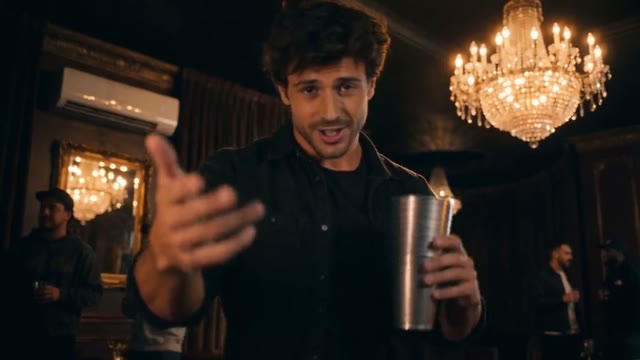
The camera finds you
Sample frame · 0.6s
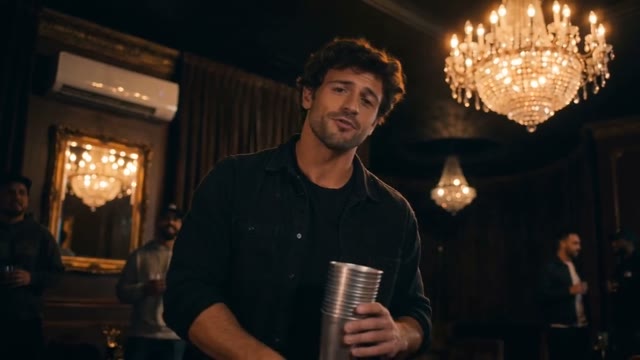
A gesture to the lens
Sample frame · 3.2s
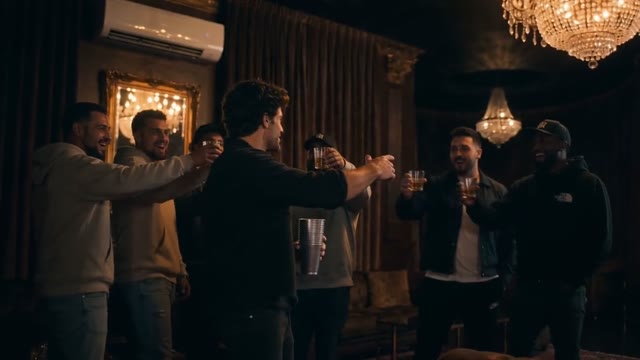
Turn to the crowd
Sample frame · 9.2s
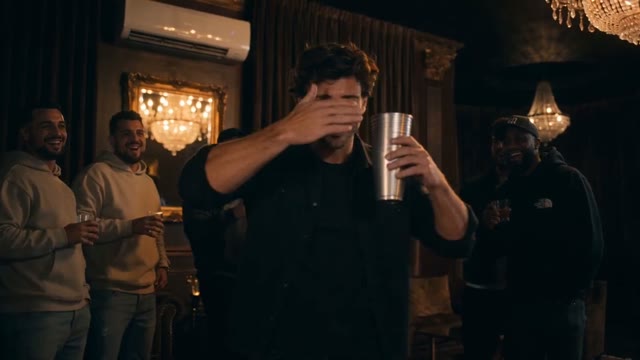
One last camera beat
Sample frame · 12.5s
Why the song and the searching gesture appear together
Drake’s official Burning Bridges video is the source to consult for the song and original performance. The short question people remember from the sound is often paired with the gesture of shading or covering the eyes as though searching for someone in the room. That association is why a query about the sound can lead to this party scene.
Reposts can use different excerpts, edits or characters. Sharing a song title does not mean that two tools preserve the same shot sequence, include the same recording or generate the same lip movements. Watch the specific example on the page you are using rather than assume every version is interchangeable.
Our one-photo version generates a new party
The actual input below is a portrait of an AI-created adult man. It supplies the lead’s appearance; it does not include the lounge, party crowd or cup gesture. The full sample shows the photo becoming a performance in the prepared setting.
The background friends are generated people. This workbench does not ask for extra photos to identify each member of the crowd. It also does not paste your face onto every frame of the original music video. Face, clothing, camera and gesture details can vary as the model builds the new scene.
Actual input → Complete generated video
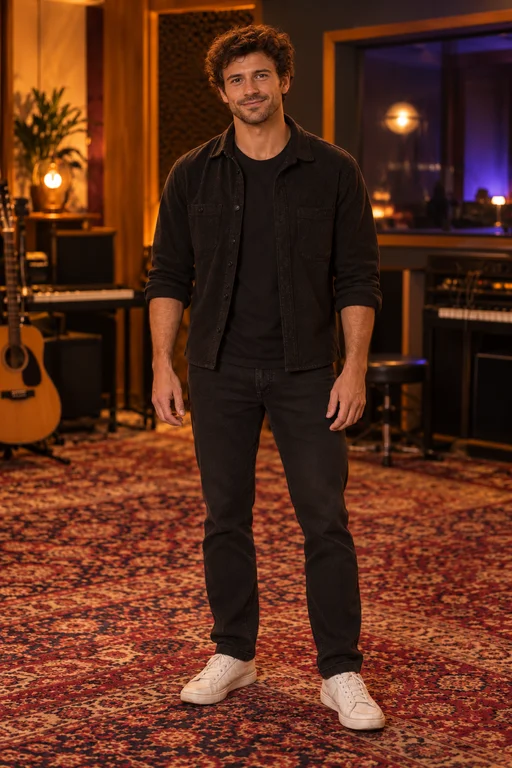
One photo. Your moment in the spotlight.
15 seconds · 16:9 · Music included
One portrait paired with our full landscape party performance. The lead is guided by the photo; the lounge, crowd and actions come from the template.
People in these examples are AI-created adult characters, not customer uploads. Your result can vary.
The vertical example is a separate performance
Compare the purple-sweater portrait with the vertical example. The performer, framing and small gestures differ from the landscape clip. This was generated in portrait format; it is not the man’s wide video cropped around a replacement face.
For a phone-screen post, the important distinction is making the composition in the chosen format before generation. The portrait frame keeps the lead and cup prominent but shows less of the room. Choosing 9:16 does not promise the identical camera movement from the 16:9 example.
Actual input → Complete generated video
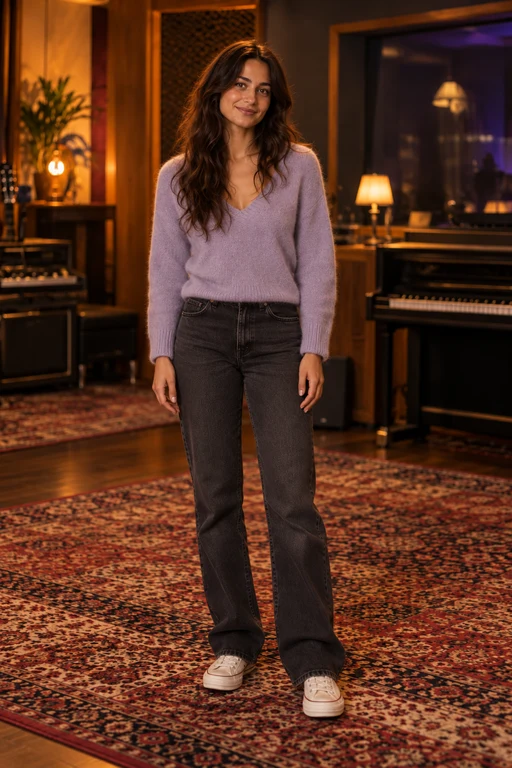
Reference photo
About 15 seconds · Vertical 9:16 · 720p · Music included
Our separate native portrait example, paired with its actual purple-sweater reference photo. Watch the face, cup and turn through the entire clip.
People in these examples are AI-created adult characters, not customer uploads. Your result can vary.
A soundtrack is not a lip-sync control
VidMello adds the demo soundtrack after generating the visuals. The downloaded MP4 includes that music, but the audio is not what drives each mouth movement or hand gesture. A moment that lines up in a selected example is not a guarantee that your new result lands on the same word or beat.
History also offers Download without music for completed Burning Bridges videos. It removes the audio from the existing result rather than generating another performance, and does not use extra Credits. This is useful if you want to add a permitted sound in another app without two tracks overlapping. It does not change the video’s framing or expiry date.
If you want to enter the party
Prepare one clear portrait of an adult you have permission to transform. You do not need to hold a cup or stand in a decorated room. Choose landscape 16:9 or native portrait 9:16 before submitting; each video uses 10 Credits and requests about fifteen seconds at 720p.
Start with the full tutorial if you want help choosing the photo and finding the completed result. If your goal is instead to replace an entire cast in an exact uploaded clip, that is a different workflow from the one-person template shown here.
Frequently asked questions
Is Burning Bridges AI an official Drake filter?
VidMello is an independent creative tool. This template makes a new portrait-guided lounge performance inspired by the trend; it is not an official artist product or the original video with a new face.
Can I choose who appears in the background?
Not in this template. One portrait identifies the lead. The party crowd is generated and does not accept separate friend photos.
Does music make the mouth follow every word?
No. The demo soundtrack is added after visual generation. It does not drive exact word-for-word lip sync or guarantee the same gesture timing.
Is the portrait example just a crop?
No. It is a separate native 9:16 generation using the displayed portrait. Existing landscape results are not converted to portrait by downloading them again.