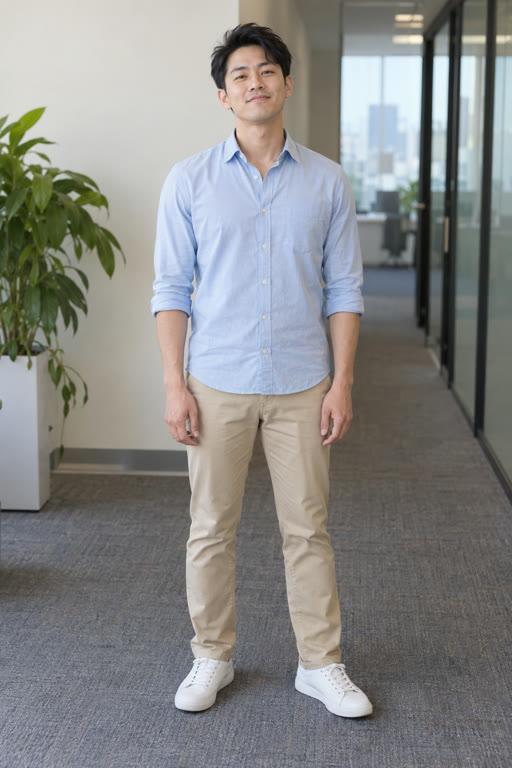
How do I make a Bby Wow Guy video with my own photo?
Upload one portrait, sign in and buy Credits if needed, then click Generate video · 10 Credits. You can do this in your phone's browser without a prompt, reference video or soundtrack. Your photo guides a newly generated performer, body, outfit and party background; this is not a face swap on the original footage, and your exact clothes or the original hall are not fixed.
Will it match the original Bby Wow Guy dance exactly?
The preset aims for the bouncy approach, bread bite, puffed-cheek stare and turn into the crowd. It recreates the idea rather than copying each frame. Action order, completeness, expression and camera framing can vary, including cropping of the head or hands. The bite and stare may not line up with exact musical beats. Watch the full sample for the current version.
Will people recognize me during the bite and chewing?
Your portrait guides your face, hair, beard, glasses and skin tone. These features and the deadpan expression can shift, especially during chewing, turns or when bread or a hand covers the face. Mouth, teeth, cheeks and hands can distort. A clear portrait helps, but consistent likeness in every frame is not guaranteed.
Can I use a woman's photo?
The verified examples here use adult men, and the current template is designed around a male party performer. Women's portraits have not been validated for this preset, so we cannot promise the same result or consistent preservation of a feminine appearance.
What photo should I use, and can I upload a video?
Use one clear, front-facing adult portrait with the full head visible. A normal everyday photo is fine; a full-body shot, visible teeth or a matching expression is not required. Avoid strong side profiles, sunglasses and reflections across the eyes. Upload one JPG, PNG or WebP up to 10 MB; this template does not accept video input. Use your own photo or an adult friend's photo with their permission.
What do I receive, and does it include music?
An approximately 7-second, 720p vertical 9:16 MP4 with the same music excerpt as this page's sample, without a VidMello watermark. There is no separate HD purchase or download fee. Preview the result in History and download it for TikTok or Reels. Included music does not provide a separate commercial music license.
How much does it cost, and what do I do after payment?
10 Credits per video. Starter: $9.90 once for 10 Credits. No subscription or automatic renewal. The smallest pack covers 1 video at the current Credit cost. Once payment is confirmed, return to your saved photo and click Generate video · 10 Credits. Buying Credits and starting a video are separate steps, so you can review your photo first.
Credit packsCan I try my own video for free or pay after a preview?
You can watch the complete sample and preview your selected photo for free. A personalized video requires Credits before generation. There is no free generation, personalized video preview before payment, or pay-to-unlock HD step. Creating an account does not include free Credits.
What if generation fails or I want to redo the result?
If generation fails before a result is delivered, reserved Credits return automatically. A completed video uses Credits even if the likeness, expression or movement differs from what you hoped for; creative differences do not include an automatic free redo or refund. Choosing to generate again uses another 10 Credits. For a suspected technical issue, contact support with your job ID for review.
Refund policyContact supportCan I see examples made from different photos?
Yes. Compare two different portraits with their complete videos on this page. Both photos feature AI-created adult characters, rather than customer uploads, and can be opened at full size. Watch the face, expression and movement in each video to see what the template creates. Your result can vary.
How long does generation take, and where do I find the video?
Allow several minutes; busy queues can take longer, and there is no guaranteed completion time. Once accepted, your job continues on the server even if you leave the page. Return to private History for status, playback and download. Download links are temporary; request a fresh one from History while the file is available. Media is retained for up to 30 days, so save your video before it expires.
My HistoryAre my files public, used for training, or available to delete?
Your uploads and results are private by default and are not added to this public page. Photos are sent to an external video provider to create the result. Our current privacy policy does not establish a guarantee that every external provider excludes inputs from model training. There is no self-service media-delete button yet; contact support to request deletion. Stored media is retained for up to 30 days.
Privacy policyContact support