Beat the traffic. Take flight.
Flying Roadster AI Video Generator
Make a fictional flying-car scene inspired by the Tesla Roadster video trend. Your driver checks the time in traffic, presses LAUNCH, flies your chosen car above the freeway and lands back on the road.
Play the full AI-generated sample first. One portrait + one car photo or preset · 10 Credits per video · AI results vary.
Upload one clear adult portrait for the opening and in-flight close-ups.
Upload one exterior photo or choose from four unbranded car presets.
About 12 seconds · Landscape 16:9 · 768P · AI-generated sound.
The story, moment by moment
01
Stuck in traffic
Your driver grows impatient and checks the time.
02
Press LAUNCH
One red button starts the escape.
03
Fly above the freeway
Underbody thrusters lift your car into level flight.
04
Land and drive away
The car returns to the road on all four wheels.
YOUR FLYING ROADSTER
Make the escape yours
Choose your driver and car. We prepare the traffic, LAUNCH button, takeoff, level flight and landing shots for you.
Your photo choices stay on this device before sign-in and explicit submission. Submitted media is private by default. Read the privacy policy.
Flying Roadster AI video examples
Flying Roadster AI video sample
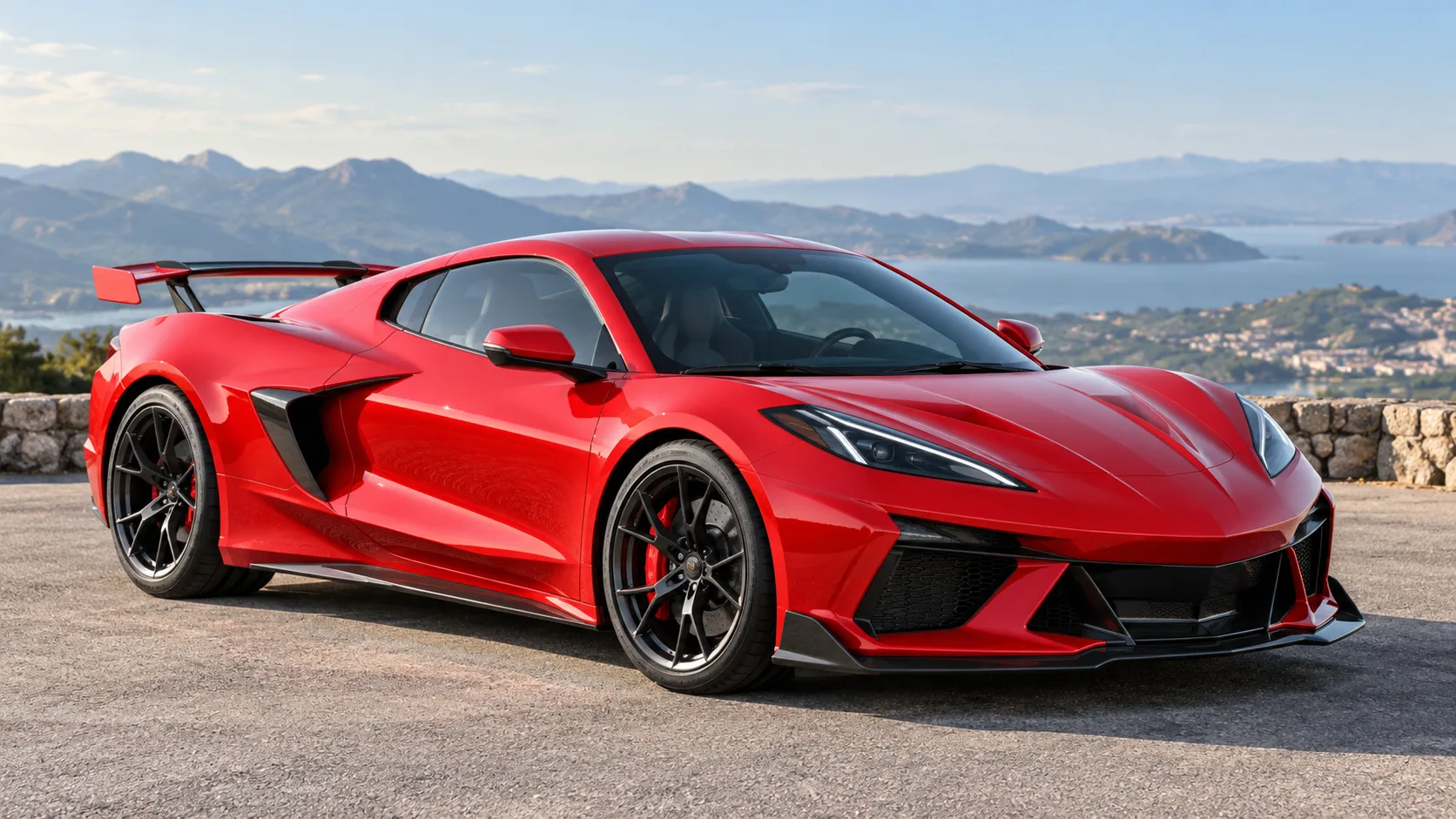
An AI-generated driver checks the time in traffic, presses LAUNCH, flies a red sports car above the freeway and lands back on the road.
12 seconds · 16:9 · 768P
Made with one adult portrait and one car image. Your face, car details and motion may vary.
A second driver takes flight
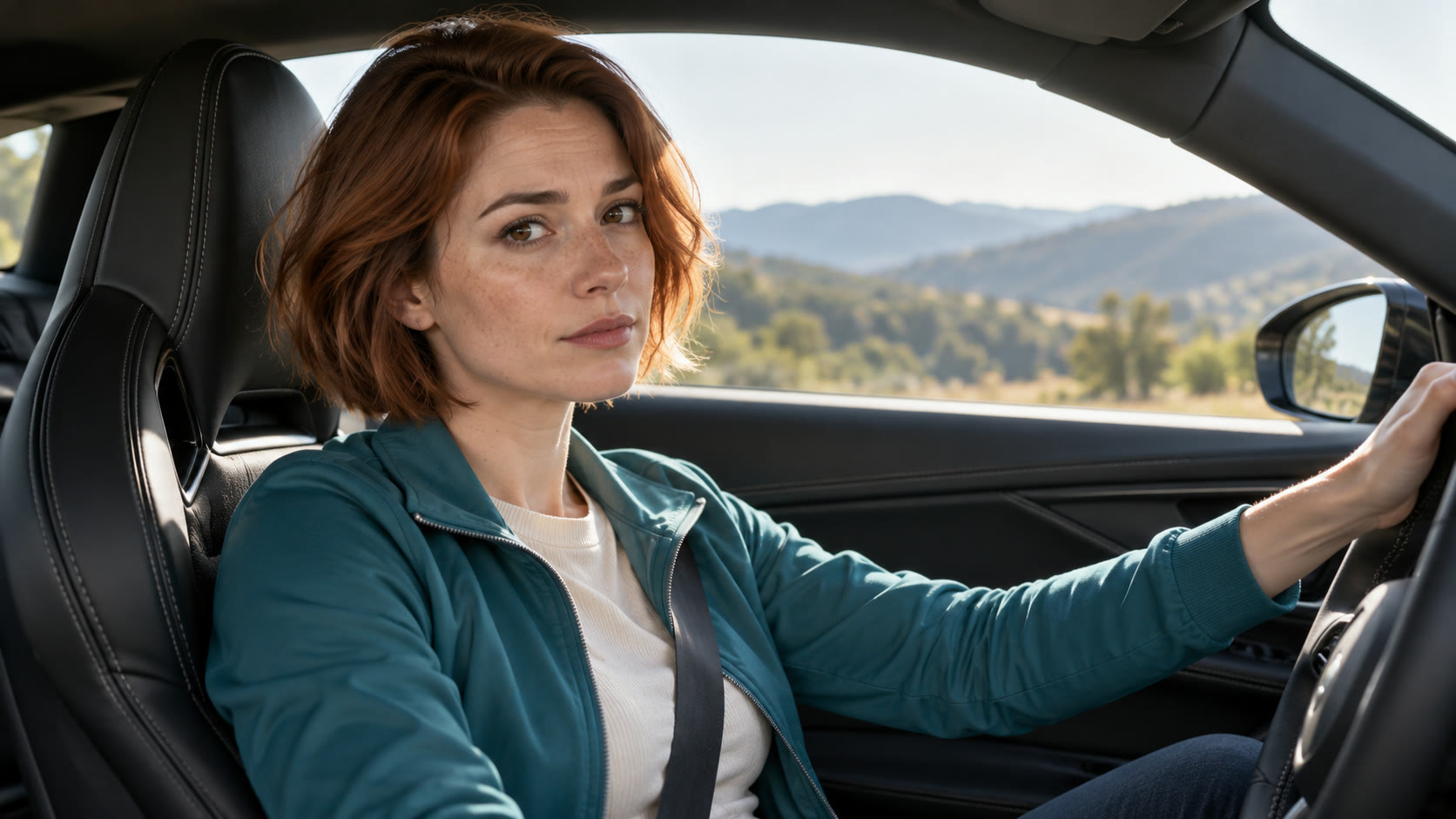
A different adult driver with short auburn hair and a teal jacket checks the time, launches a red sports coupe above traffic, then lands. Her face remains recognizable in a later interior cut, while the car stays red across exterior shots.
12 seconds · 16:9 · 768P
A second real H3 generation with a different fictional adult. Face, jacket and red car are consistent in this sample; the finger partly covers the LAUNCH label. New results can vary.
A classic roadster flies above traffic
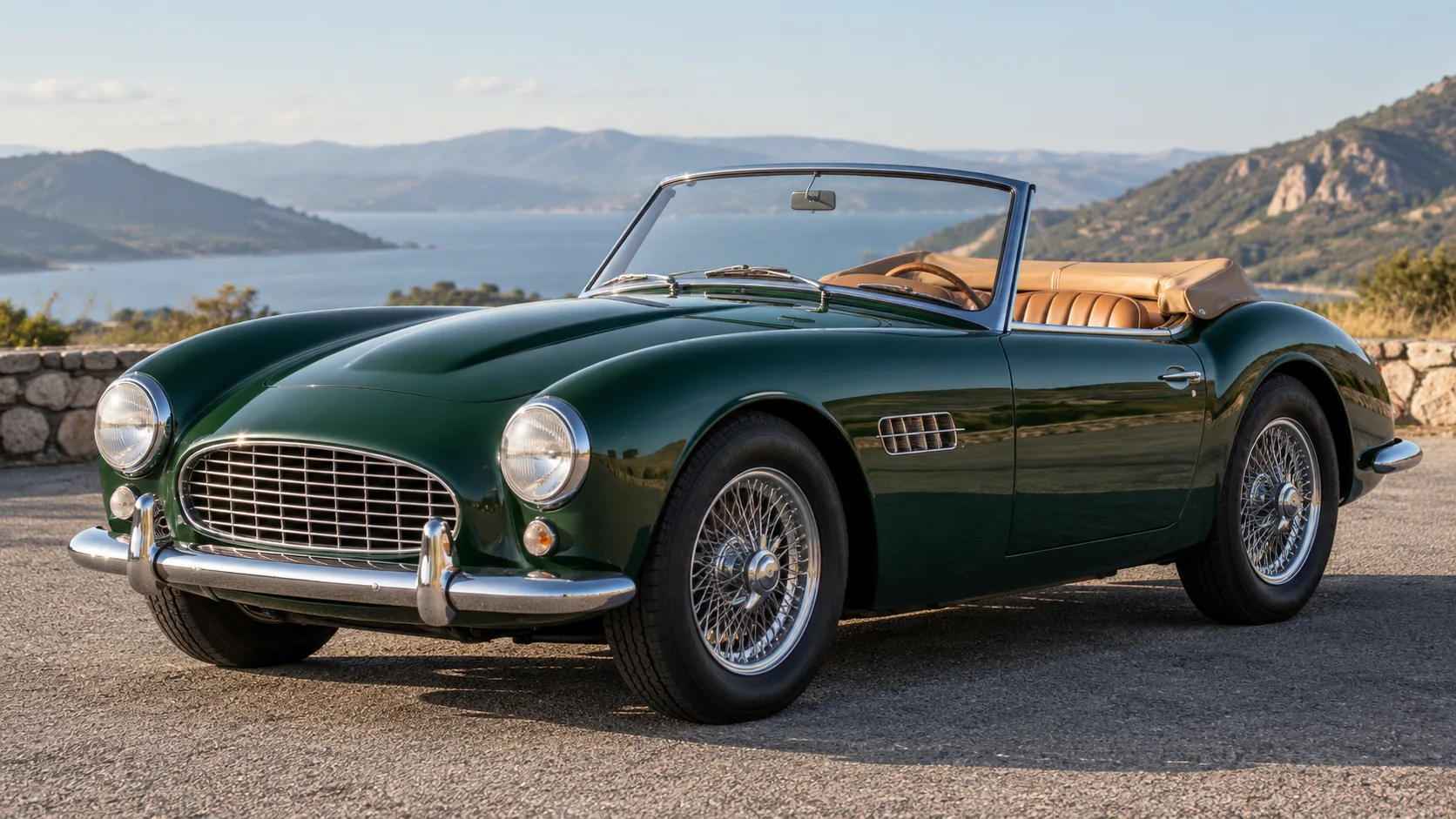
The alternate adult driver launches a green vintage open roadster above a city freeway and lands it back on four wheels. The green body and classic silhouette remain visible through the exterior cuts.
12 seconds · 16:9 · 768P
A real H3 generation with our green classic car preset. The driver and car remain recognizable in this sample; the finger partly covers the LAUNCH label. New results can vary.
How to make your flying car video
01
Add your portrait
A clear selfie or head-and-shoulders photo of one adult is enough. You do not need to pose inside a car.
02
Choose your car
Upload one photo showing your whole car, including an ordinary family car, or select an original sports or classic car preset. No Tesla is required.
03
Create and download
Review the full sample and 10-Credit cost, then submit. Your landscape MP4 appears in private History when ready.
Is the Tesla Roadster Video Real or AI?
Tesla's October 15, 2026 Roadster reveal included a real, brief ramp jump and mid-air roll, as reported by the Associated Press. That event footage is different from AI clips of cars flying over ordinary traffic. The 12-second videos on this page are AI-generated fiction made from portrait and car images, not Tesla event footage. We cannot verify every repost: check its original source before treating it as real. This independent tool is not affiliated with Tesla and does not demonstrate a road-legal flying feature.
Published · Updated
Photos that help the driver and car stay consistent
- A sharp, well-lit selfie or head-and-shoulders portrait is enough; no full-body or in-car photo is needed. Clear eyes help, while dark glasses, heavy filters and hair over the face make likeness harder. A beard or ordinary glasses can still guide the result.
- For your own car, show the whole exterior from a front three-quarter or side angle, with paint color and wheels visible. Avoid collages and multiple cars; cover the license plate if you prefer.
- The four presets are original AI-generated, unbranded references. They do not represent an official car model.
- Only upload photos you have permission to transform, and label a shared result as AI-generated fiction.
Know the cost before you create
$9.90 buys 10 Credits, enough for one complete Flying Roadster video. No subscription.
Starter
1 video
$9.90 once
$9.90 per Flying Roadster video · 10 Credits
Trio
Recommended3 videos
$24.90 once
$8.30 per Flying Roadster video · 30 Credits
Creator
8 videos
$59.90 once
≈ $7.49 per Flying Roadster video · 80 Credits
Flying Roadster AI Video Generator FAQ
How do I make a Flying Roadster AI video?
Upload one adult portrait, then upload one car exterior photo or choose a car preset. Review the 12-second sample, sign in, confirm photo permission and submit with 10 Credits. You do not need to write a prompt.
Can I use my own car?
Yes. Upload one JPG, PNG or WebP image, up to 10 MB, showing the whole car. If you prefer, choose an original, unbranded sports or classic car preset. The car image guides the result but an exact match is not guaranteed.
Do I need a photo of myself sitting in the car?
No. One clear selfie or portrait of one adult plus one separate full-car photo is enough. You can replace the car photo with a preset. You do not need a full-body photo, driving footage or a Tesla.
Will the person stay the same throughout?
The prompt asks the model to preserve the same face, hair and clothing in the opening and later in-flight close-up. We test this with a second character, but generative video can still change a face or outfit. Check your finished result before sharing it.
What happens in the video?
This is the traffic-to-flight version, not the ramp-flip version: the driver checks the time in traffic, presses a red LAUNCH button, rises above the cars, flies level, then lands and drives away. It is a complete new generation, not a few seconds of a floating car or a frame-by-frame copy. Watch all 12 seconds of the sample; shots and timing can vary.
Will my face and car match the sample across shots?
Your two photos guide the driver and vehicle, and our other published tests show a different driver and a classic car. New generations can change facial features, clothing, car color, wheels, hand details or flight motion between cuts. We cannot guarantee that friends will recognize you in every shot; review the completed MP4 before sharing.
What length, format and sound will I receive?
The generator requests one landscape 16:9 MP4 of about 12 seconds at 768P with provider-generated traffic, button, engine and flight sound. The sample is 12.25 seconds. Exact duration, dimensions and sound mix may vary. The included sound is generated for your video; the sample audio is not copied into every result. This template has no native vertical option or separate music track.
Can I post the video without editing or paying to remove a watermark?
Download the completed MP4 from private History without a VidMello watermark or extra download Credits. It plays on a phone, but this template outputs landscape 16:9; for a full-screen TikTok, Reels or Shorts post, crop or edit it in your own app. No app installation or CapCut assembly is required to get the complete clip.
How much does one video cost?
One submission uses 10 Credits. The one-time Starter pack is $9.90 for 10 Credits, enough for one video, with no subscription or automatic renewal; taxes, if applicable, appear at checkout. There is no free personalized generation. Buying Credits does not automatically start a generation. Downloading a finished MP4 costs no extra Credits.
What if generation fails or the result looks wrong?
If the system fails before delivering a video, reserved Credits return automatically. A completed video uses 10 Credits even if likeness, car details or a hand movement disappoint you; another generation costs 10 Credits. For a technical delivery or purchase issue, contact support before paying for a retry. Credit-pack refunds follow the Refund Policy.
How long will it take, and can I close the page?
The 12 seconds describe the finished clip, not the wait. Processing depends on the provider queue and has no guaranteed time. Once your request is accepted, you can close the page; return to private History and refresh to see status or download the MP4.
Are my photos and video public or used as examples?
Photos preview on your device until you explicitly submit. Submitted images and results are private by default, shared with the provider only to generate your video, and are not automatically published as examples. Media is retained for up to 30 days; download what you want to keep. Contact support to request deletion; there is no self-service delete button yet.
Is this an official Tesla Roadster video?
No. The Flying Roadster samples and any video you make here are AI-generated fiction, not footage from Tesla's Roadster reveal. Tesla's filmed demonstration showed a brief jump and roll, not the traffic flight in our template. VidMello is independent and is not endorsed by Tesla. Check the source of any separate viral clip before deciding whether it is real.
Take your car above the traffic
Choose a portrait and a car to make the scene yours.
Make my flying car video